

Automations on real store events, built from one sentence
Abandoned carts, review requests, booking reminders, win-backs. Describe the rule in one sentence and the AI builds the flow on real store events. Or start from a proven template.
From one sentence to a working automation
A forgotten cart, brought back on its own
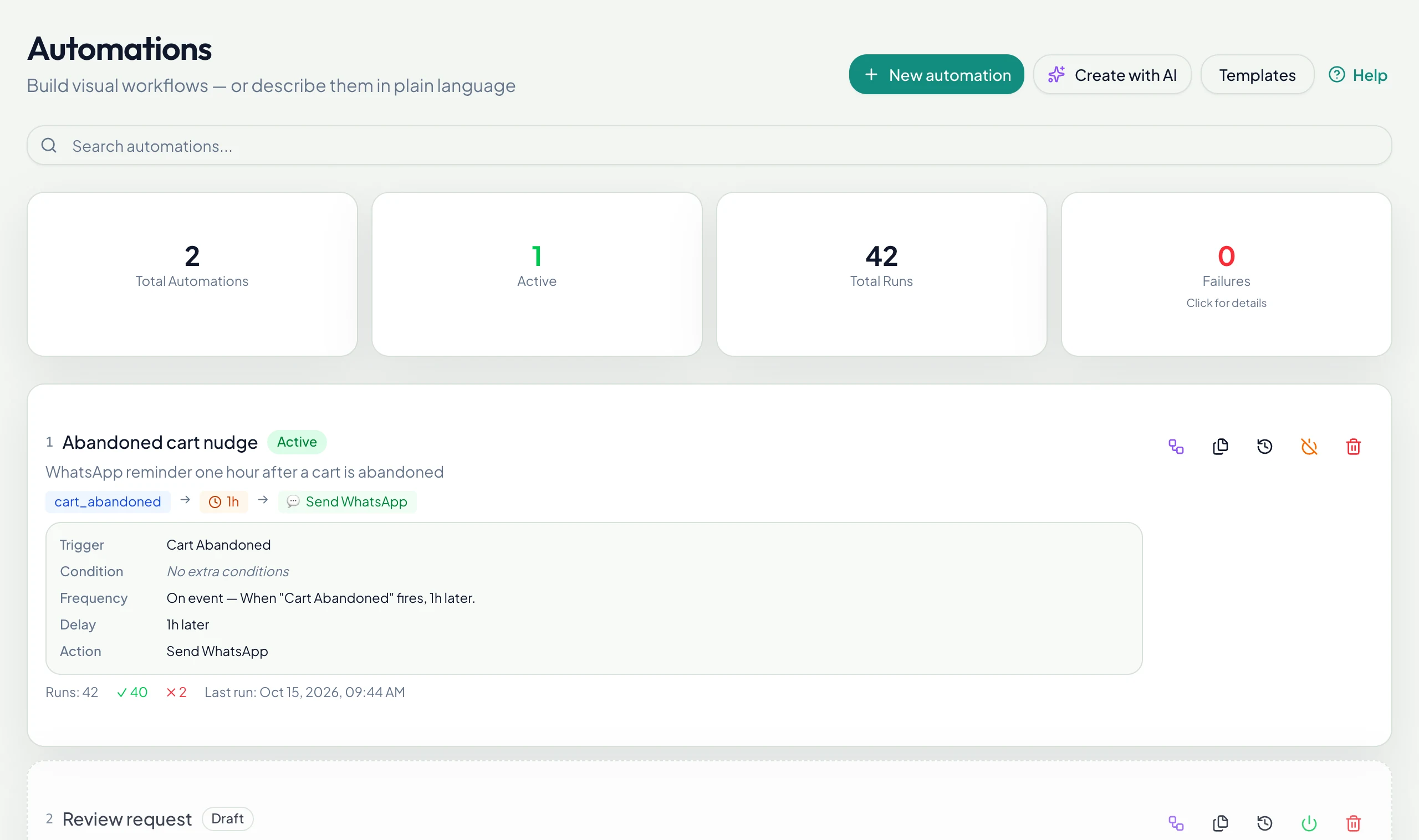
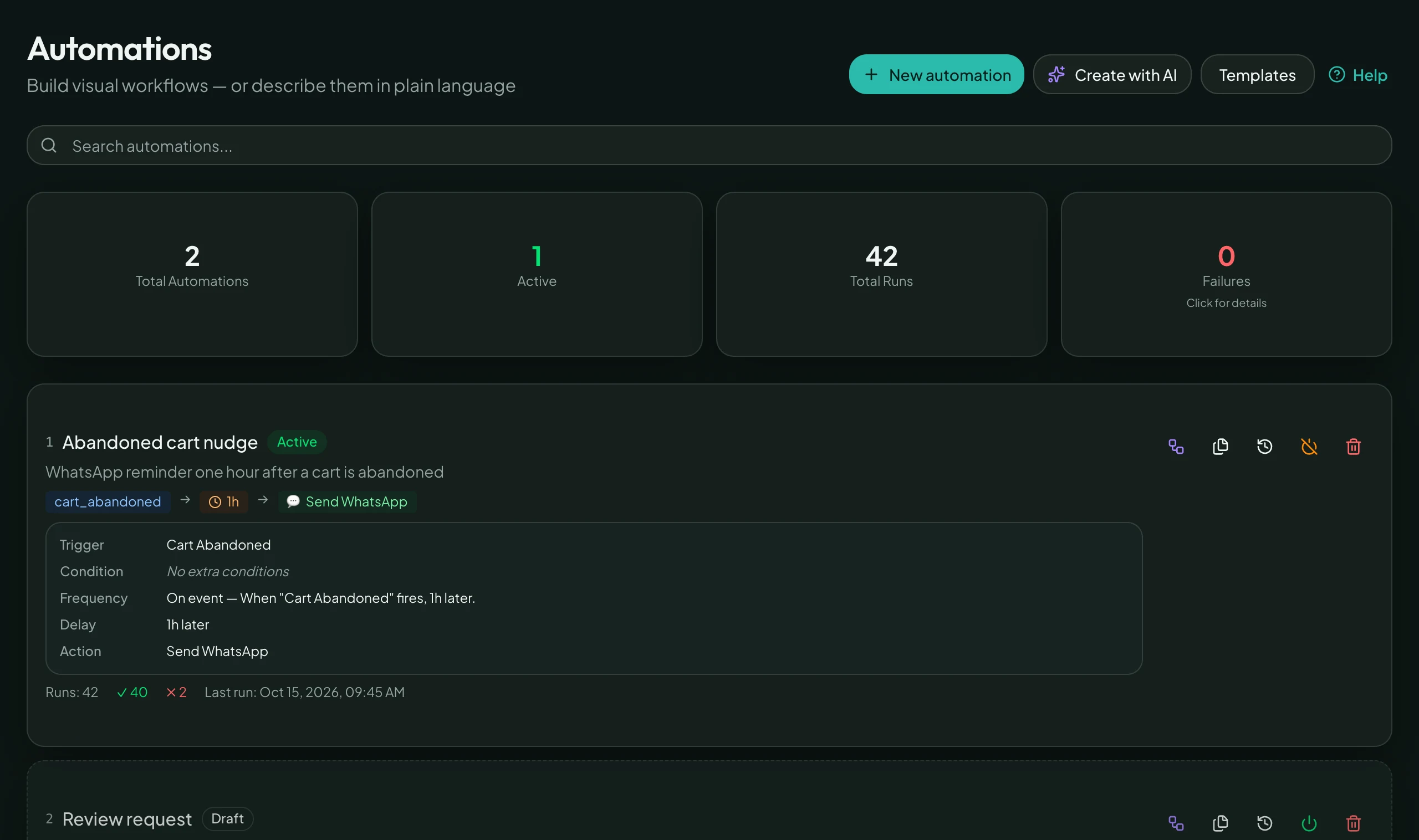
A shopper leaves her cart for a phone call. An hour later the automation sends a WhatsApp reminder with a 10% coupon, and the order is paid.
- Trigger: cart abandoned
- Wait one hour
- WhatsApp message with an automatic coupon
Real events
Cart abandoned, order paid, delivered, booking made and more, with conditions and delays.
Templates and broadcasts
Approved WhatsApp templates for campaigns and for messages outside the 24-hour window.
Forms inside WhatsApp
WhatsApp Flows collect structured answers, including a full checkout with shipping and payment.
Call your own systems
The HTTP request action sends GET, POST or PUT to your own HTTPS address, for example to tell your warehouse about a paid order.
Ten templates, one click each
Every card below is a template in the product today. Open it, adjust the wording, switch it on.
Abandoned cart reminder
Brings the shopper back to the saved cart one hour after they left.
Booking confirmation
Confirms the appointment and invites the customer to reply if anything changes.
Appointment reminder
A reminder before the visit, with a reply path to reschedule.
Shipping update
Tells the customer their order is on the way, with the order number.
Order thank-you email
A branded thank-you from your own address for every new order.
Failed payment alert
Notifies your team and opens a follow-up task.
Low stock alert
A notification and a high-priority task when a product runs low.
Daily sales report
The day’s orders and revenue, delivered at the time you choose.
Tag new leads
Tags every new customer as a lead and lets sales know.
Dropship label relay
Collects the shipping label from your dropship supplier on WhatsApp and forwards it to the cargo depot.
Or describe your own in one sentence
Not templates: flows any store can build from the same triggers and actions. Type the sentence, review the draft, switch it on.
“Tell the team about every new order”
Order created → notification to your team.
“Ping me when a booking comes in”
Booking created → notification to the owner.
“Ask for a Google review after delivery”
Order delivered → WhatsApp with your Google review link.
Email sequences live under Marketing
Welcome, abandoned-cart and browse-abandonment emails run as sequences with their own timeline. See email sequences →
Answer every customer in seconds, starting today
Connect a channel, import your catalog, switch the AI on. Most stores take their first order in the chat the same day.